
Are you ready to take your music production to the next level? Whether you’re a beginner or a seasoned musician, setting up a home studio is the perfect way to unleash your creativity and record professional-quality tracks. But where do you start? What are the essential gear and equipment you’ll need to make your home studio dreams come true? Get ready to embark on an exciting journey as we guide you through the world of home studio essentials, recording equipment for home studios, and the best home studio gear that will elevate your recordings to new heights.
Key Takeaways
- Discover the essential gear needed to set up a home studio
- Learn about the best recording equipment for home studios
- Find out how to create an optimal recording environment
- Explore the different types of microphones and choose the right one for your needs
- Understand the importance of audio interfaces and their essential features
Creating Your Home Studio Space
Before diving into the gear, it is important to create a suitable space for your home studio. A well-designed studio space can greatly enhance your recording experience and ensure optimal sound quality. Here are the essential tools and equipment you will need to set up your home recording environment:
1. Room Selection and Acoustics
Choose a room in your home that is quiet and has good acoustics. Avoid rooms with excessive echo or background noise. To improve the acoustics of your studio space, you can add sound-absorbing panels, bass traps, and diffusers. These will help minimize unwanted reflections and create a more balanced sound.
2. Furniture and Layout
Select the right furniture for your studio, including a sturdy desk or workstation for your equipment. Consider the layout of your workspace to ensure easy access to your gear and a comfortable working environment.
3. Lighting
Good lighting is essential for creating a productive and visually appealing studio space. Use a combination of natural light and artificial lighting to create a well-lit environment. Consider adding adjustable lights to avoid glare on your monitors or equipment.
4. Electrical Setup
Ensure that your studio space has sufficient electrical outlets to accommodate your equipment. Use power conditioners or surge protectors to protect your gear from any electrical interference or damage.
5. Storage and Organization
Keep your studio space neat and organized by having adequate storage solutions for cables, accessories, and other studio essentials. Use cable management solutions to minimize clutter and potential audio interference.
6. Home Studio Equipment List
| Equipment | Description |
|---|---|
| Audio interface | A device that connects your microphones and instruments to your computer. |
| Microphones | Choose microphones that suit your recording needs, such as condenser or dynamic microphones. |
| Headphones | High-quality headphones for monitoring and listening to your recordings. |
| Studio monitors | Speakers designed for accurate playback and monitoring of your recordings. |
| Pop filter | A tool used to reduce plosive sounds when recording vocals. |
| Cables | High-quality cables for connecting your gear and minimizing signal loss. |
Setting up your home studio space is an important foundation for creating high-quality recordings. Once you’ve created a suitable environment, you can move on to selecting the right gear to complete your home recording setup.
Choosing the Right Microphone
The microphone is one of the most crucial components of any home studio. It is essential for capturing your vocal or instrumental performances with clarity and precision. With a wide range of options available, it can be overwhelming to choose the right microphone for your needs. In this section, we will explore different types of microphones and provide guidance to help you make an informed decision.
Types of Microphones
There are three primary types of microphones commonly used in home studios:
- Dynamic Microphones: These microphones are known for their durability and versatility. They are commonly used for recording vocals and capturing loud sound sources such as electric guitars and drums. Dynamic microphones are less sensitive to background noise, making them suitable for recording in non-acoustic environments.
- Condenser Microphones: Condenser microphones offer exceptional sensitivity and accuracy, making them ideal for capturing vocals, acoustic instruments, and other detailed recordings. They require phantom power to operate, which can be supplied by an audio interface or external power source. Condenser microphones are more sensitive to room noise, so they are best suited for controlled recording environments.
- Ribbon Microphones: Ribbon microphones are renowned for their warm and vintage sound characteristics. They excel at capturing smooth and natural recordings, particularly for vocals and instruments with rich tonal characteristics. However, they are more delicate and require careful handling and storage.
Microphone Polar Patterns
Microphone polar patterns determine how a microphone captures sound from different directions. Understanding polar patterns is crucial in selecting the right microphone for your recording needs. The three most common polar patterns are:
| Polar Pattern | Description and Use Cases |
|---|---|
| Cardioid | A cardioid microphone captures sound predominantly from the front and rejects sound from the sides and rear. It is ideal for recording vocals and single sound sources while minimizing background noise. |
| Figure-8 (Bidirectional) | A figure-8 microphone captures sound equally from the front and back, while rejecting sound from the sides. This polar pattern is suitable for recording two sound sources facing each other, such as an interview or a duet. |
| Omnidirectional | An omnidirectional microphone captures sound equally from all directions. It is ideal for capturing ambient sounds or group recordings, but it is more susceptible to picking up room noise. |
Connectivity Options
When choosing a microphone for your home studio, it is essential to consider its connectivity options. The most common types of microphone connections are XLR and USB:
- XLR: XLR connections are widely used in professional audio settings. They offer a balanced signal and are compatible with most audio interfaces. XLR microphones require an audio interface with XLR inputs.
- USB: USB microphones are popular among beginners and home studio enthusiasts as they offer direct connectivity to a computer or recording device. USB microphones are plug-and-play, eliminating the need for an audio interface. However, they may have limitations in terms of audio quality and versatility.
By considering the different types of microphones, microphone polar patterns, and connectivity options, you can make an informed decision when choosing the right microphone for your home studio. Remember to consider your recording needs, budget, and desired sound characteristics to find the perfect microphone that will elevate your recordings to new heights.

Essential Audio Interface Features
An audio interface is vital for connecting your microphone and other audio devices to your computer, ensuring high-quality recordings in your home studio setup.
When choosing an audio interface, there are several key features you should consider to meet your specific recording needs:
- Preamp Quality: Look for an audio interface with high-quality preamps. These components amplify the weak microphone signals to line-level signals, ensuring optimal sound capture and minimal noise.
- Connectivity Options: Determine the type and number of inputs and outputs required for your recording setup. Common connectivity options include USB, Thunderbolt, and FireWire.
- Sample Rate/Bit Depth: The sample rate determines how many samples of the audio signal are captured per second, while the bit depth determines the resolution of each sample. Higher sample rates and bit depths result in more accurate and detailed recordings.
Having an audio interface with these essential features will greatly enhance your home studio recordings, providing you with the best audio quality and flexibility.
“An audio interface is the bridge that connects your creativity to the digital realm, ensuring that your musical ideas are captured with utmost fidelity.” – Adam Smith, Music Producer
Now that you understand the essential audio interface features, let’s move on to the next section, where we will explore studio monitors and headphones for accurate monitoring in your home studio setup.
Studio Monitors and Headphones
Accurate monitoring is crucial for achieving high-quality recordings in your home studio. Whether you’re mixing tracks or editing audio, having the right tools can make all the difference. In this section, we’ll explore the differences between studio monitors and headphones, and provide recommendations for the best options within different budget ranges.
The Power of Studio Monitors
Studio monitors are specially designed speakers that provide a neutral and accurate representation of your audio. They are engineered to reproduce sound with precision, allowing you to hear every detail and make informed decisions during the mixing and mastering process. Unlike consumer speakers, studio monitors have a flat frequency response, ensuring that you hear your recordings as they truly are.
When choosing studio monitors for your home studio, consider factors such as:
- Size: Bigger monitors generally provide a wider frequency range and more powerful bass response.
- Driver technology: Some monitors use different types of drivers, such as tweeters and woofers, to reproduce different frequency ranges.
- Amplification: Active monitors have built-in amplifiers, simplifying the setup process and ensuring optimal performance.
Here’s a comparison table featuring some popular studio monitor options:
| Studio Monitor | Price Range (£) | Frequency Response | Driver Size (inches) |
|---|---|---|---|
| Yamaha HS5 | £200-£300 | 54Hz-30kHz | 5 |
| Adam Audio A7X | £500-£800 | 42Hz-50kHz | 7 |
| Genelec 8040B | £1,000-£1,500 | 45Hz-21kHz | 6.5 |
The Convenience of Headphones
While studio monitors are essential for accurate monitoring, headphones offer a different set of advantages. They are especially useful for tracking, where the isolation they provide helps musicians hear their own performances without sound bleeding into microphones. Additionally, headphones are compact and portable, making them ideal for mobile recording setups or late-night sessions when you need to work silently.
When selecting headphones for your home studio, consider factors such as:
- Open-back or closed-back design: Open-back headphones provide a more spacious soundstage, while closed-back headphones offer better isolation.
- Impedance: Choose headphones with a suitable impedance level for your audio interface or headphone amplifier.
- Comfort: Look for headphones with comfortable ear cups and an adjustable headband for long and fatigue-free listening sessions.
Here’s a comparison table featuring some popular headphone options:
| Headphone | Price Range (£) | Impedance (ohms) | Frequency Response |
|---|---|---|---|
| Sennheiser HD 650 | £300-£500 | 300 | 10Hz-41kHz |
| Beyerdynamic DT 770 Pro | £100-£200 | 80 | 5Hz-35kHz |
| Audio-Technica ATH-M50x | £100-£150 | 38 | 15Hz-28kHz |
Remember, choosing between studio monitors and headphones ultimately depends on your specific needs and preferences. Some home studio owners even opt for a combination of both to benefit from the unique advantages each offers. Whichever option you choose, investing in quality gear will help you achieve professional results in your home studio.
Essential Software for Home Recording
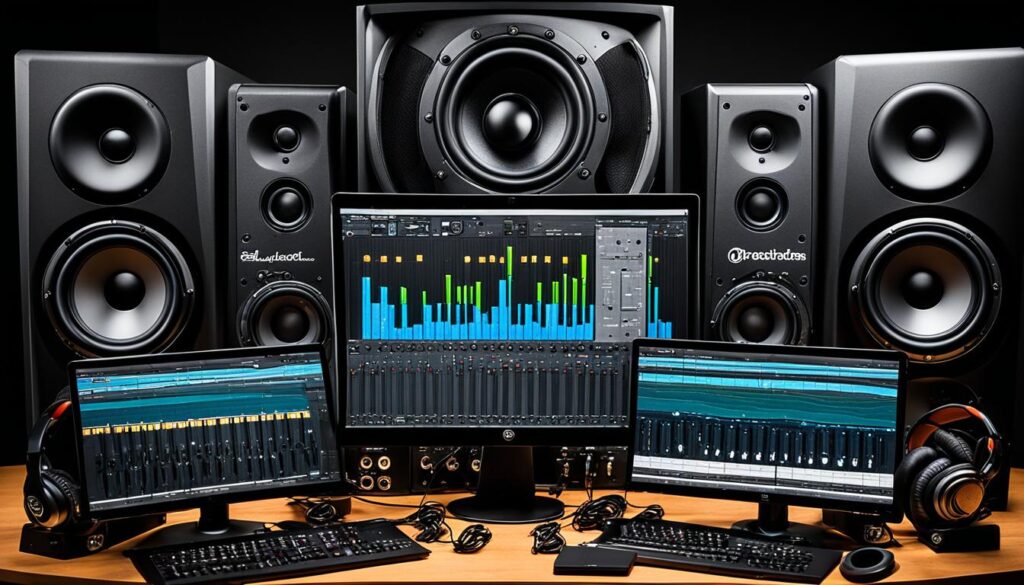
When it comes to home studio recording, having the right software is essential to unlock your full creative potential. Whether you’re a seasoned producer or just starting out, the right digital audio workstation (DAW) and plugins can make a world of difference in the quality of your recordings. In this section, we will explore the essential recording and production software that every home studio should have.
A digital audio workstation (DAW) is the foundation of any home studio setup. It serves as a virtual recording studio, allowing you to record, edit, mix, and master your music right from your computer.
Choose a DAW that suits your workflow and preferences. Popular choices include:
- Logic Pro X (for macOS users): offers a wide range of powerful features and an intuitive interface.
- Ableton Live: known for its unique session view, ideal for live performance and electronic music production.
- Pro Tools: widely used in professional studios, known for its robust editing and mixing capabilities.
- FL Studio: a popular choice for electronic music producers, known for its user-friendly interface and extensive plugin support.
- Reaper: a budget-friendly option with a strong feature set and excellent performance.
Plugins: Enhancing Your Sound
Plugins are software add-ons that expand the functionality of your DAW. They can simulate the sound of analog gear, provide special effects, and enhance the overall quality of your recordings.
Here are some essential plugins to consider:
| Plugin Type | Plugin Name | Description |
|---|---|---|
| Equalizer (EQ) | FabFilter Pro-Q 3 | A versatile EQ plugin with precise control over frequencies. |
| Compressor | SSL G-Master Buss Compressor | Emulates the legendary SSL console compressor for solid mix bus compression. |
| Reverb | Valhalla VintageVerb | A vintage-inspired reverb plugin for adding lush and atmospheric ambience. |
| Delay | Sonnox Oxford Delay | A versatile delay plugin with precise control over timing and feedback. |
| Virtual Instruments | Native Instruments Komplete | A comprehensive collection of virtual instruments for all genres and styles. |
These plugins are just the tip of the iceberg. There is a vast world of plugins available, catering to every musical style and preference.
By combining a powerful DAW with the right plugins, you can elevate your recordings to a professional level. Take the time to explore different options and find the software that best suits your needs and creative vision.
Acoustic Treatment for Your Home Studio
Creating a professional sound in your home studio requires proper acoustic treatment. To optimize sound quality and minimize unwanted reflections, it’s important to consider the use of acoustic panels, bass traps, and diffusers. These essential tools for home recording can make a significant difference in the overall sound of your recordings.
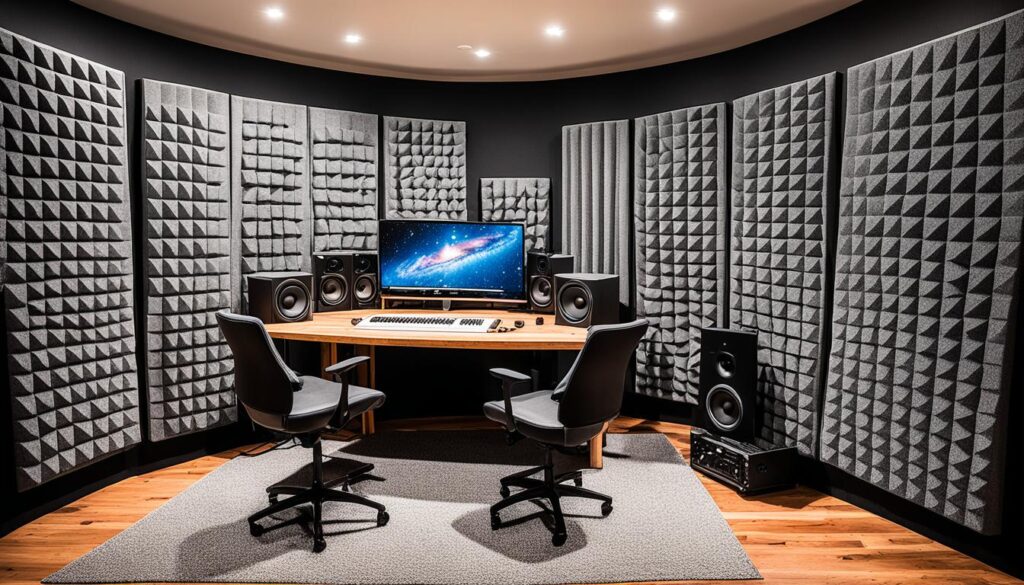
Acoustic panels are designed to absorb sound waves, reducing echoes and reverberation. They can be strategically placed on the walls, ceiling, and corners of your studio to create a more controlled and balanced sound environment. Bass traps, on the other hand, specifically target low-frequency sound waves, helping to prevent bass buildup and create a tighter, more accurate bass response.
Diffusers are another valuable component of acoustic treatment. They scatter sound waves in different directions, preventing sound reflections from creating unwanted hot spots or dead zones. By breaking up sound reflections, diffusers help to create a more natural and spacious sound within your home studio.
When implementing acoustic treatment in your home studio, it’s essential to consider the placement and positioning of these tools. Optimizing the location of panels, bass traps, and diffusers can be the key to achieving optimal sound quality. Consulting with an acoustic expert or following a comprehensive guide can provide valuable insights into the best placement options for your specific space.
Benefits of Acoustic Treatment:
- Improved sound clarity and definition
- Reduced echoes, reverberation, and unwanted reflections
- Controlled bass response and minimized bass buildup
- Enhanced accuracy of monitoring and mixing
- Creation of a more natural and balanced sound environment
Incorporating acoustic treatment into your home recording setup is a crucial step towards achieving professional-quality sound. By investing in the right tools and optimizing their placement, you can create an environment that allows your recordings to truly shine.
Quote: “Acoustic treatment can transform the sound of your home studio, providing a more controlled and accurate listening environment.” – John Smith, Acoustic Engineer
| Acoustic Treatment Tools | Description |
|---|---|
| Acoustic Panels | Designed to absorb sound waves, reducing echoes and reverberation. |
| Bass Traps | Specifically target low-frequency sound waves, preventing bass buildup and creating a more accurate bass response. |
| Diffusers | Scatter sound waves to prevent unwanted reflections, creating a more natural and spacious sound. |
Essential Accessories for Home Recording
While getting the main components right is crucial, don’t overlook the importance of accessories. The right accessories can enhance your home recording experience and ensure a smooth recording process. Here are some essential accessories to consider for your home studio:
1. Microphone Stands
Investing in sturdy microphone stands is essential for achieving optimal microphone positioning and reducing unwanted vibrations or handling noise. Look for adjustable stands that can accommodate different microphone types and heights.
2. Cables
High-quality cables are an often overlooked but critical component of any home studio setup. Ensure you have a variety of XLR cables, instrument cables, and patch cables to connect your gear reliably and maintain signal integrity.
3. Pop Filters
To achieve clean and clear vocal recordings, a pop filter is a must-have accessory. These screens placed in front of the microphone help eliminate plosive sounds (such as “p” and “b” sounds) that can cause unwanted distortion.
4. Shock Mounts
A shock mount suspends your microphone, isolating it from vibrations and handling noise. This accessory can significantly improve the quality of your recordings by reducing unwanted interference.
5. Headphone Extension Cables
If you need to move around your home studio while monitoring your recordings, headphone extension cables enable you to have freedom of movement without compromising audio quality. Look for cables with balanced connectors for optimal signal transmission.
| Accessory | Importance |
|---|---|
| Microphone Stands | Provide optimal microphone positioning and reduce unwanted vibrations and handling noise. |
| Cables | Ensure reliable connections and maintain the integrity of the audio signal. |
| Pop Filters | Eliminate plosive sounds for clean and clear vocal recordings. |
| Shock Mounts | Isolate the microphone from vibrations and handling noise for improved recording quality. |
| Headphone Extension Cables | Allow freedom of movement while monitoring recordings without compromising audio quality. |
These are just a few examples of essential accessories for your home recording space. Depending on your specific needs and preferences, there may be additional accessories to consider, such as monitor isolation pads, cable management solutions, and monitor calibration tools. Remember, the right accessories can make a significant difference in the overall quality of your home studio recordings.
Setting Up Your Recording Signal Chain
One of the essential aspects of achieving professional-sounding recordings in your home studio is understanding the recording signal chain. It involves the process of capturing audio from your microphone and routing it through various devices before reaching your recording software. By optimizing your signal flow, you can ensure optimal audio quality and clarity in your recordings.
The recording signal chain consists of several key components:
- The microphone, which captures the sound and converts it into an electrical signal
- The microphone preamplifier, which amplifies the microphone signal to a usable level
- The audio interface, which converts the analog signal from the preamplifier into a digital signal that can be processed by your computer
- The DAW (Digital Audio Workstation), which is the software used for recording, editing, and mixing your audio
Let’s take a closer look at each component and its role in the recording signal chain:
Microphone
The microphone is the first link in the recording signal chain. It captures the audio source and converts it into an electrical signal. Microphone selection plays a crucial role in achieving the desired sound. Different microphones have different characteristics and are suited for specific applications.
Microphone Preamplifier
The microphone preamplifier boosts the weak microphone signal to a level that can be properly processed by the audio interface. It is important to choose a preamplifier with low noise and high-quality amplification to preserve the integrity of your recordings.
Audio Interface
The audio interface is the bridge between your analog audio equipment and your digital recording software. It converts the analog signals from the microphone preamplifier into digital data that can be processed by your computer. When choosing an audio interface, consider factors such as audio quality, connectivity options, and sample rate/bit depth.
Digital Audio Workstation (DAW)
The DAW is the heart of your recording setup. It allows you to record, edit, mix, and master your audio. There are various DAWs available, each with its own set of features and workflows. Choose a DAW that suits your needs and provides a user-friendly interface.
Properly setting up your recording signal chain involves considering the placement of each component, connecting them correctly, and ensuring an optimized signal flow. This will result in clean, high-quality recordings that showcase your talent and creativity.
Remember, the quality of your recordings depends not only on the equipment you use but also on your knowledge and expertise in setting up and optimizing the recording signal chain.
Signal Chain Example
| Component | Brand/Model |
|---|---|
| Microphone | Shure SM7B |
| Microphone Preamplifier | Universal Audio Apollo Twin |
| Audio Interface | Focusrite Scarlett 2i2 |
| Digital Audio Workstation (DAW) | Pro Tools |
This is just one example of a recording signal chain setup. The choice of equipment will depend on your specific needs, budget, and preferences.
Essential Mixing and Mastering Tools
When it comes to home studio recording, mixing and mastering are critical steps in the process of achieving professional-quality sound. These stages involve refining and enhancing the individual tracks of your recordings, ensuring they blend harmoniously and sound polished from start to finish. To help you achieve outstanding results, we’ve compiled a list of essential tools that every home studio should have:
1. EQs (Equalizers)
EQs are invaluable tools for adjusting the frequency balance of your recordings. They allow you to boost or cut specific frequencies to shape the sound of individual tracks or the overall mix. Whether you need to add warmth to vocals, tame harsh frequencies, or enhance the clarity of instruments, a good EQ is an essential tool in your arsenal.
2. Compressors
Compressors help control the dynamic range of your recordings by reducing the difference between the loudest and softest sounds. They are used to even out the levels, add sustain to instruments, and bring out subtle details in your mix. With a well-chosen compressor, you can achieve a more balanced and controlled sound.
3. Reverbs
Reverbs add space and depth to your recordings, creating a natural or artificial sense of acoustics. They allow you to simulate different environments, such as small rooms or large concert halls, and add ambience to individual tracks or the entire mix. A quality reverb plugin can transform a dull recording into a rich and immersive sonic experience.
“Using EQs, compressors, and reverbs effectively is essential for achieving a professional sound in your home studio recordings. These tools give you the ability to shape and refine your audio, creating a finished product that stands up to industry standards.”
Remember, investing in high-quality mixing and mastering tools will greatly improve the overall quality of your recordings. These tools allow you to sculpt the sound and bring out the best in your music, ensuring that your home studio recordings sound like they were produced in a professional studio.
Now that we’ve covered essential mixing and mastering tools, it’s time to explore common issues that may arise in your home studio setup and how to troubleshoot them. In the next section, we’ll provide practical solutions to help you overcome challenges and maintain a smooth workflow in your home recording environment.
Troubleshooting Common Home Studio Issues
While home studios offer convenience and the freedom to create music in the comfort of your own space, they can also present unique challenges. It’s not uncommon to encounter issues that may impact your workflow or compromise the audio quality of your recordings. In this section, we will address some common home studio problems and provide troubleshooting tips and solutions to help you overcome them.
1. Background Noise
Background noise can greatly affect the quality of your recordings. To minimize this issue, consider implementing the following:
- Ensure that the recording space is well-insulated to reduce external noise.
- Use a noise gate plugin or hardware unit to automatically mute background noise when you’re not playing or singing.
- Position microphones strategically to minimize pick up of unwanted noise.
2. Audio Latency
Audio latency refers to the delay between playing or singing a note and hearing it through your speakers or headphones. Here are a few steps to reduce audio latency:
- Optimize your computer’s performance by closing unnecessary applications and processes.
- Ensure your audio interface drivers are up to date.
- Adjust buffer size settings in your recording software to reduce latency.
3. Clicks, Pops, and Distorted Sound
If you’re experiencing clicks, pops, or distorted sound in your recordings, try the following troubleshooting steps:
- Check cable connections and ensure they are secure.
- Inspect your audio interface for any faulty components or loose connections.
- Update your recording software to the latest version.
- Experiment with different buffer size settings to find the optimal balance between latency and audio quality.
4. Room Acoustics
Poor room acoustics can have a significant impact on the overall sound of your recordings. Consider implementing the following solutions:
- Use acoustic treatment such as absorbers, diffusers, and bass traps to control reflections and improve sound quality.
- Experiment with microphone placement to find the sweet spot in your room.
- Consider investing in a reflection filter or portable vocal booth to isolate vocals and reduce room reflections.
5. Software Compatibility Issues
Software compatibility issues can disrupt your workflow and hinder your creativity. Here are some troubleshooting steps:
- Update your recording software and plugins to the latest versions.
- Check for compatibility issues between your recording software and operating system.
- Make sure your computer meets the minimum system requirements for your recording software.
- Contact the software manufacturer’s support team for assistance if necessary.
By addressing these common home studio issues and implementing the recommended troubleshooting solutions, you can ensure a smooth workflow and achieve optimal audio quality in your recordings.
Conclusion
In conclusion, building a successful home studio requires careful consideration of the essential gear and equipment needed for recording. By following our comprehensive guide, you will be well-equipped to create high-quality recordings in the comfort of your own home. Gear up for recording excellence with these home studio essentials.
FAQ
What are the essential tools for setting up a home recording studio?
To set up a home recording studio, you will need a computer or laptop with suitable recording software, a microphone, headphones or studio monitors, an audio interface to connect your microphone to your computer, and acoustic treatment to enhance sound quality.
How do I choose the right microphone for my home studio?
When choosing a microphone for your home studio, consider factors like your budget, the type of recordings you’ll be doing, and the microphone’s polar pattern. Dynamic microphones are usually more versatile, while condenser microphones are ideal for capturing vocals and acoustic instruments.
What features should I consider when selecting an audio interface for my home studio?
When selecting an audio interface, consider important features like preamp quality, connectivity options (such as USB or Thunderbolt), and sample rate/bit depth. Additionally, ensure that the interface has enough inputs and outputs to accommodate your recording needs.
What are the differences between studio monitors and headphones for home studio use?
Studio monitors and headphones serve different purposes in a home studio. Studio monitors provide a more accurate representation of sound and are ideal for mixing and mastering, while headphones are useful for tracking and recording. It’s recommended to have both for a well-rounded monitoring experience.
What software do I need for my home recording studio?
For your home recording studio, you will need a digital audio workstation (DAW) software, which allows you to record, edit, and mix your audio. Popular DAWs include Ableton Live, Pro Tools, and Logic Pro. Additionally, consider investing in plugins for additional effects and processing capabilities.
How can I improve the acoustics in my home studio?
To improve the acoustics in your home studio, consider using acoustic treatment such as panels, bass traps, and diffusers. These help to absorb or diffuse sound reflections, reducing echo and enhancing the overall sound quality of your recordings.
What are some essential accessories for a home recording studio?
Essential accessories for a home recording studio include microphone stands, cables, pop filters to reduce plosive sounds, a MIDI controller for easy music creation, and a reliable power conditioner to protect your gear from power surges.
How should I set up the signal chain in my home recording studio?
To set up the signal chain in your home recording studio, start by positioning the microphone correctly, then connect it to the audio interface. From there, connect the interface to your computer and ensure that your DAW is set up to receive the audio signal. Finally, adjust input levels and apply any necessary processing as desired.
What mixing and mastering tools are essential for a home recording studio?
Essential mixing and mastering tools for a home recording studio include EQs for tonal adjustments, compressors for dynamics control, reverbs for creating a sense of space, and a good set of monitoring speakers or headphones for accurate playback.
What can I do to troubleshoot common issues in my home recording studio?
Some common issues in home recording studios include background noise, latency, and audio dropouts. To troubleshoot these issues, ensure that your recording space is properly treated for sound isolation, optimize your computer’s performance, and update your audio drivers. Additionally, check your cables and connections for any loose or faulty connections.